
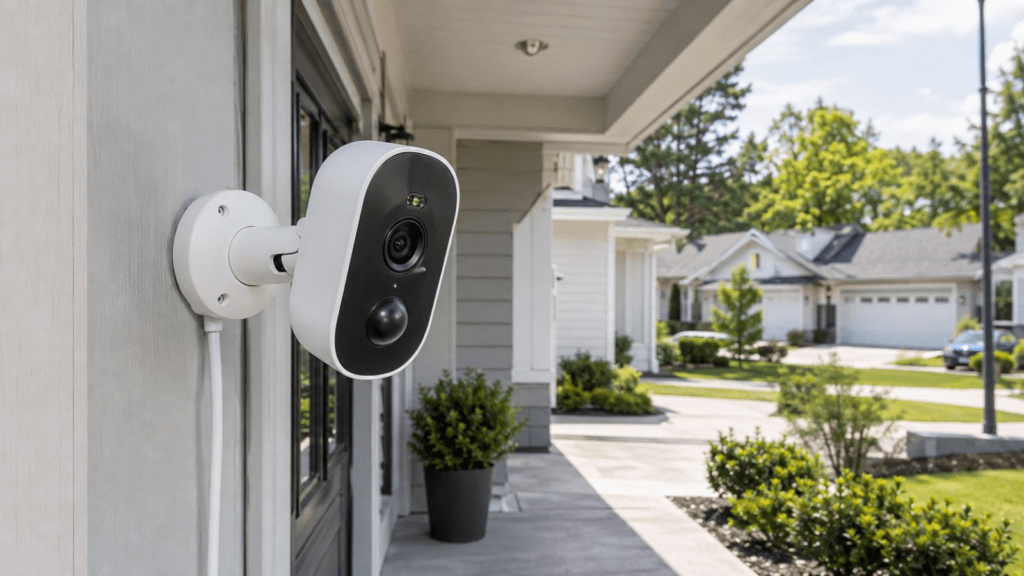
Quick Answer: The Defender GO 2K is a budget plug-in Wi-Fi security camera that delivers 2304×1296 video, AI human detection, color night vision, dual-band Wi-Fi 6, and IP65 weather resistance starting at $15 per camera. It is a solid choice for homeowners who want basic smart monitoring without a subscription. The main limitations are no battery operation, no browser viewing, and a 128GB local storage cap. If those limitations do not apply to your situation, it is one of the most affordable functional security cameras available in 2026.
You want security cameras at your front door, driveway, and garage but you do not want to spend $300 doing it. The Defender GO 2K exists for exactly that situation.
At $15 per camera with multi-pack options dropping the per-unit cost further, it sits in a price category where most cameras sacrifice too much to be genuinely useful. The GO 2K makes a credible case that it does not have to.
This review covers everything you actually need to know: real specs, what the AI detection does and does not do, honest limitations, installation guidance, a direct comparison with the Wyze Cam v4, and whether the GO 2K is worth buying for your specific situation.
What Is the Defender GO 2K?
The Defender GO 2K (model IP3MCB1A) is a wired Wi-Fi security camera designed for indoor and outdoor use. It runs on continuous power rather than battery, connects to your home network through the Defender Empower App on iOS or Android, and stores footage locally on a microSD card up to 128GB.
It is designed for homeowners who want affordable, app-controlled monitoring at doors, driveways, garages, porches, and indoor entry points. It is not designed to replace a professional PoE or NVR surveillance system.
Defender GO 2K Full Specifications
| Specification | Detail |
| Model | IP3MCB1A |
| Sensor | 1/2.8-inch 3MP progressive CMOS |
| Main Resolution | 2304 x 1296 |
| Frame Rate | Up to 15fps |
| Sub-Stream | 640 x 360 at 15fps |
| Focal Length | 3.2mm |
| Horizontal FOV | 108 degrees |
| Vertical FOV | 57 degrees |
| Diagonal FOV | 130 degrees |
| Video Compression | H.264 |
| IR Night Vision | Up to 32ft / 10m |
| Color Night Vision | Yes |
| Spotlight | 80 lumens |
| Audio | Full-duplex two-way audio |
| Wi-Fi | 2.4GHz + 5GHz Wi-Fi 6 |
| Wireless Security | AES-128 encryption |
| Detection Range | Up to 33ft / 10m |
| Power | DC 5V/1A, max 5W |
| Battery | No |
| Local Storage | microSD up to 128GB |
| Weather Rating | IP65 |
| Camera Limit | Up to 6 per location, 16 per app account |
What Does 2K Actually Mean on This Camera?
The GO 2K records at 2304 x 1296 pixels at up to 15fps. That is Defender’s 2K-class positioning.
One fact worth knowing upfront: this is slightly lower resolution than the 2560 x 1440 that Wyze and other brands call 2K or 2.5K. At normal home monitoring distances covering a porch, driveway, or garage entry, the difference is minor. At longer distances where identifying fine details matters, the extra resolution becomes more useful.
Image quality also depends on sensor performance, lens quality, lighting conditions, and camera placement, not resolution alone.
Key Features Explained Honestly
AI Human Detection
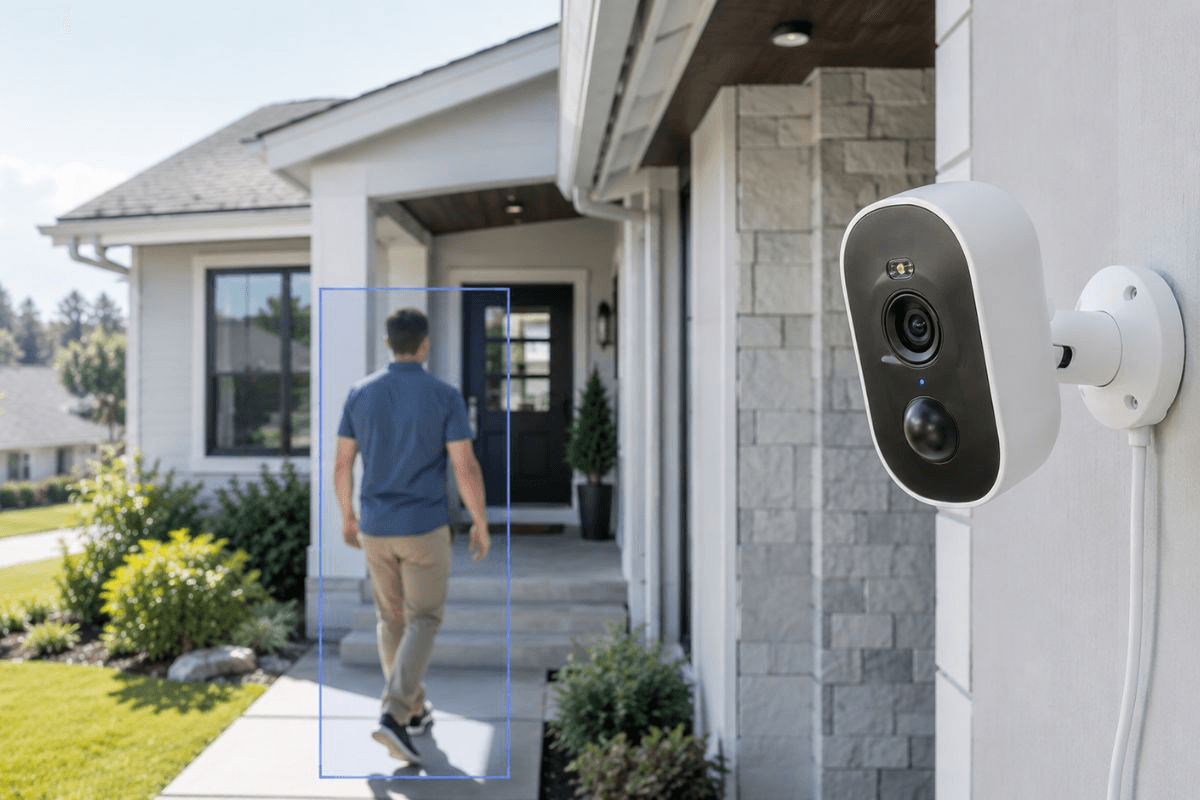
AI human detection is the most useful feature on the GO 2K. Standard motion detection triggers on anything that moves: tree branches, shadows, passing cars, animals, flags. Human detection attempts to identify specifically people-shaped movement and send alerts only for those.
In practice, this dramatically reduces false alert fatigue, which is the main reason people stop checking their cameras within weeks of installing them.
Defender also advertises vehicle, pet, and package detection. The available product information does not clearly confirm whether those features are included at no cost or require a paid plan. If any of those three are your primary reason for buying this camera, verify the current subscription requirements before purchasing.
Color and Infrared Night Vision
The GO 2K supports both color night vision and infrared night vision, switching between them based on light conditions. The 80-lumen built-in spotlight provides additional illumination for color footage in darker environments.
One practical note: if the spotlight shines directly onto a glossy car, glass surface, or other reflective material nearby, the reflected light reduces image quality. Position the camera to avoid direct spotlight reflection off nearby surfaces.
Full-Duplex Two-Way Audio
Both parties can talk and listen simultaneously, which is genuinely useful at a front door or driveway. The half-duplex audio on some budget cameras creates an awkward walkie-talkie dynamic where one person has to stop talking before the other can respond. Full-duplex avoids that.
Dual-Band Wi-Fi 6
Supporting both 2.4GHz and 5GHz Wi-Fi 6 is a meaningful specification at this price. Use 5GHz when the camera is close to your router and you want faster throughput. Use 2.4GHz when the camera is farther away, and you need better wall penetration and range.
IP65 Weather Resistance
IP65 means the camera is dust-tight and protected against water jets from any direction. This covers most outdoor residential installations including covered porches, exterior walls, garages, and protected entryways.
IP65 does not mean waterproof for submersion. For most home security camera placements, the rating is entirely adequate.
Field of View and Detection: What the Numbers Actually Mean
The GO 2K has a 108-degree horizontal field of view and a detection range stated at up to 33 feet.
These two measurements describe different things, and confusing them leads to poor camera placement.
Field of view tells you how wide the camera can see. At 108 degrees horizontal and 10 meters depth, the theoretical viewing width at maximum range is approximately 27 meters. That sounds impressive.
Detection range describes how far the AI system is designed to reliably identify movement as human. Beyond 10 meters, a person occupies very few pixels in the image and detection reliability decreases.
The practical installation guidance is this: do not mount the camera as far back as possible just because it has a wide field of view. Mount it where the areas you actually care about occupy a useful portion of the frame. A 40-foot driveway may look better served by one camera mounted far back, but two cameras positioned closer to the entry and the garage door will produce more identifiable footage.
Local Storage and Cloud: What You Get for Free
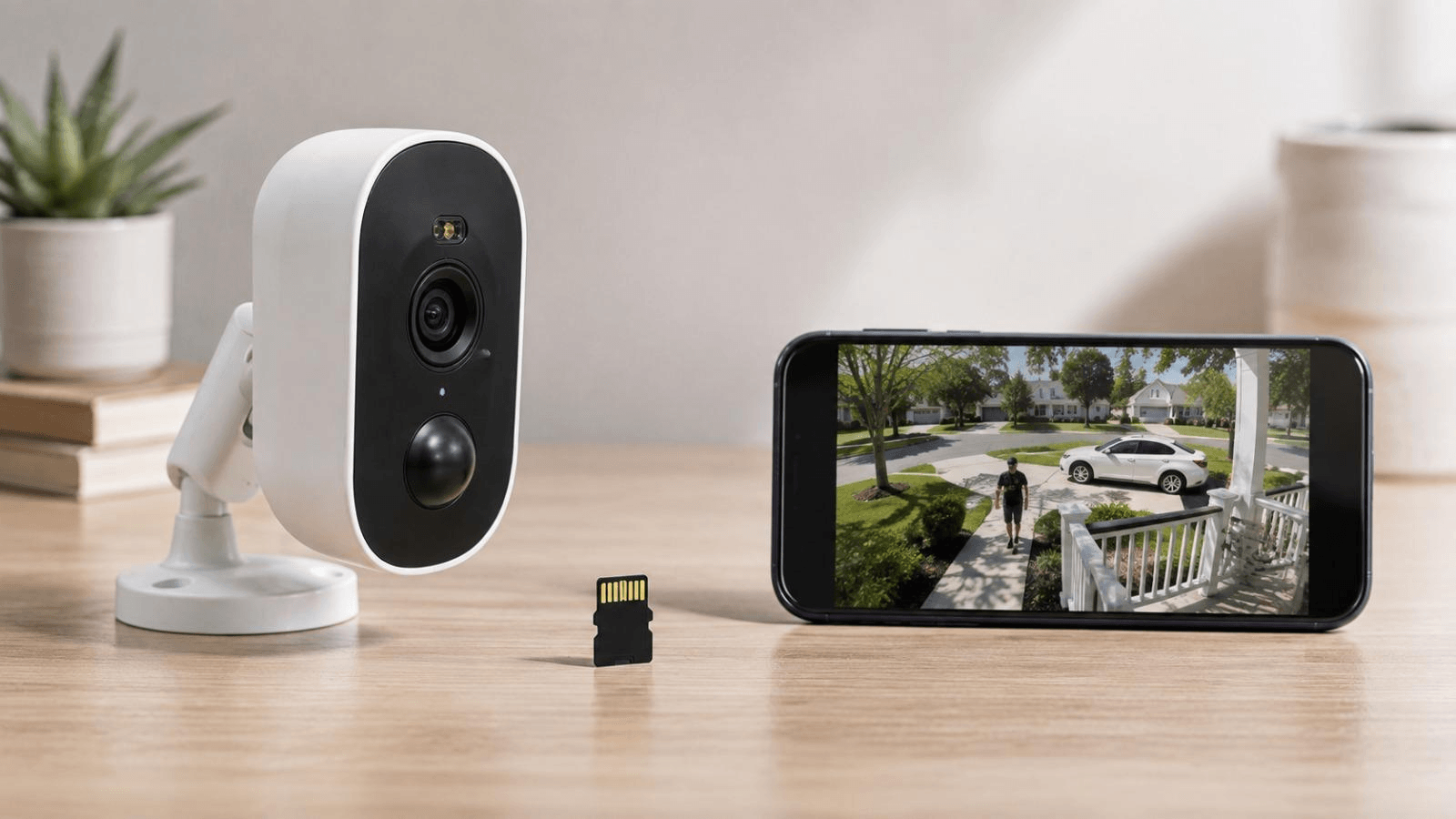
The GO 2K supports microSD cards up to 128GB, sold separately. This gives you local recording without requiring cloud storage for everyday use.
Because security cameras are connected IoT devices, buyers should also consider privacy and cybersecurity alongside storage capacity. NIST’s consumer IoT security baseline provides a useful framework for evaluating security capabilities in connected home devices.
Defender includes a free cloud storage trial. Paid cloud options may apply after the trial period ends.
The available specifications do not list the camera’s video bitrate, which means it is not possible to give a precise figure for how many hours of footage fit on a 128GB card. Recording duration depends on the bitrate, recording mode, motion frequency, and compression settings in the app. If storage duration is critical to your use case, test the camera under your actual recording settings before relying on it.
Human detection alerts do not require a subscription according to available Defender information. Cloud storage beyond the trial period and potentially some additional AI detection categories may require a paid plan.
Defender GO 2K Pros and Cons
Pros
- Extremely low purchase price starting at $15
- 2304 x 1296 video resolution
- AI human detection included
- Dual-band Wi-Fi 6 on both 2.4GHz and 5GHz
- Color and infrared night vision
- 80-lumen built-in spotlight
- Full-duplex two-way audio
- IP65 weather resistance
- Local microSD recording up to 128GB
- No battery charging required
- Supports up to 6 cameras per location
Cons
- Requires continuous wired power, no battery option
- No web browser viewing, app only
- microSD limited to 128GB
- Lower resolution than Wyze Cam v4
- Maximum 15fps may appear slightly less smooth than 20fps or 30fps cameras
- Subscription requirements for some AI features need verification
Defender GO 2K vs Wyze Cam v4
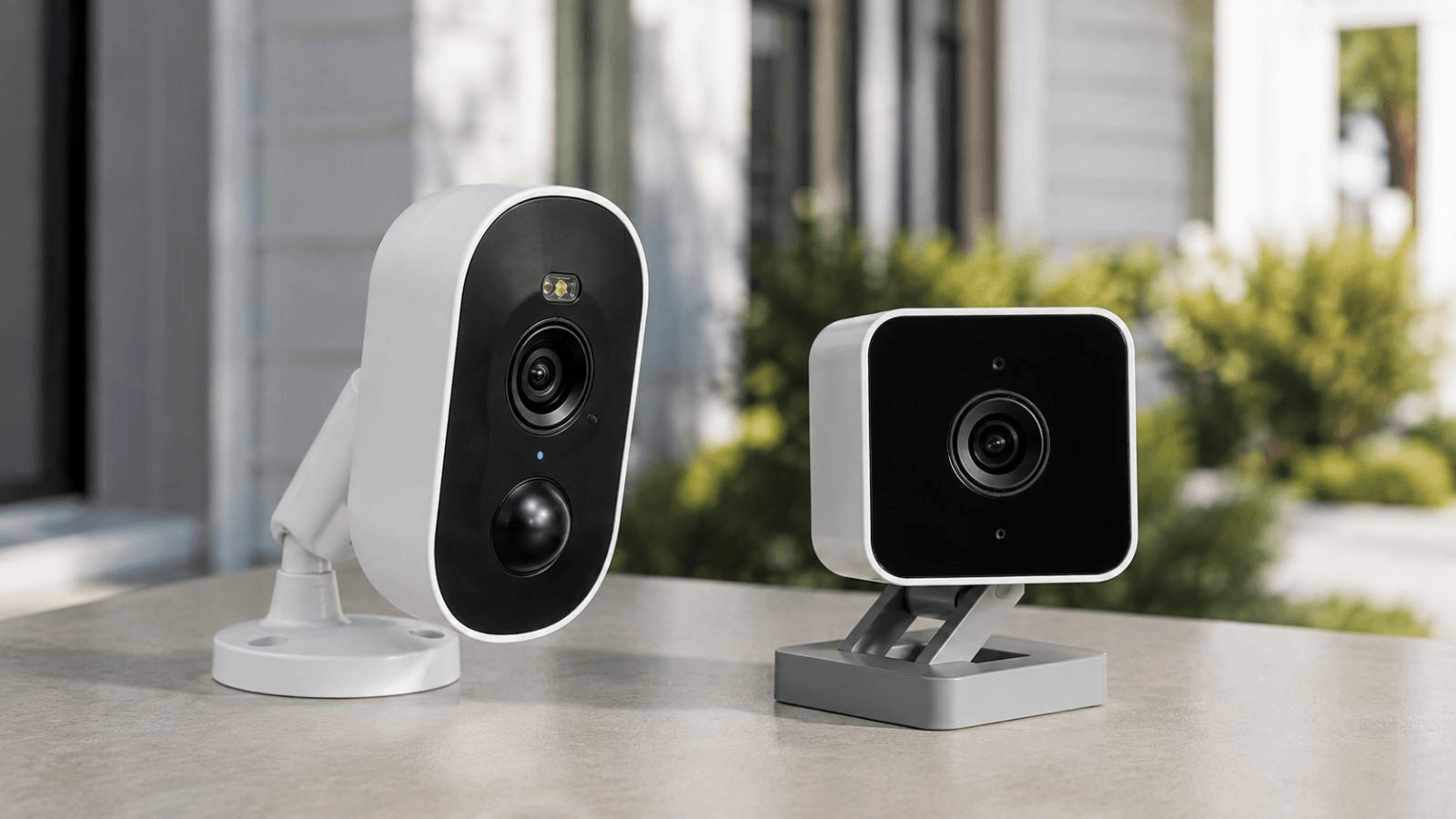
Both are wired indoor/outdoor Wi-Fi cameras with local storage and AI detection. Here is how they compare directly:
| Feature | Defender GO 2K | Wyze Cam v4 |
| Main Resolution | 2304 x 1296 | 2560 x 1440 |
| Frame Rate | Up to 15fps | Up to 30fps |
| Wi-Fi | 2.4GHz + 5GHz Wi-Fi 6 | 2.4GHz Wi-Fi 6 |
| Local Storage | Up to 128GB | Up to 256GB |
| Weather Rating | IP65 | IP65 |
| Color Night Vision | Yes | Yes |
| Spotlight | 80 lumens | 70 lumens |
| Two-Way Audio | Full-duplex | Full-duplex |
| Battery | No | No |
| Browser Viewing | No | Limited |
| Price | From $15 | Check current price |
The Wyze Cam v4 wins on resolution, frame rate, and storage capacity. The Defender GO 2K wins on price and has the advantage of dual-band Wi-Fi 6 supporting both 2.4GHz and 5GHz rather than 2.4GHz only.
Choose Defender GO 2K if: Price is the primary consideration, you want multiple cameras at low cost, and 2K-class resolution is sufficient for your monitoring needs.
Choose Wyze Cam v4 if: Higher resolution footage, smoother 30fps video, and larger local storage capacity are worth the higher price.
Where the Defender GO 2K Works Best
Front porch or covered entryway: The combination of IP65 weather resistance, spotlight, color night vision, and two-way audio makes the GO 2K well suited to a covered porch or sheltered entry point where a power outlet is available.
Small to medium driveway: Position the camera where people entering the driveway occupy a useful portion of the frame rather than mounting it as far back as possible. A long driveway benefits from two cameras positioned strategically rather than one wide-angle camera mounted far away.
If you’re also monitoring outdoor areas such as a backyard or garden, see our guide to [cameras for the garden] for additional placement ideas.
Garage: A powered garage is an ideal location. The camera requires electricity, so any location without a convenient outlet is not suitable without running new wiring.
Indoor monitoring: The camera works equally well indoors for monitoring entry points, hallways, offices, and interior rooms. For renters, indoor placement avoids any modification to the exterior of the property.
For renters looking for more security options without permanent modifications, see our guide to smart home security for renters.
Not suitable for: Remote sheds or locations without electrical access, permanent NVR-based surveillance systems, or anyone who primarily monitors cameras from a desktop computer.
Setup Guide: Step by Step
- Install the Defender Empower App on your iOS or Android device
- Create or sign into your Defender account
- Plug the camera into power
- Follow the in-app pairing process
- Connect the camera to your Wi-Fi network
- Choose your final installation position
- Mount the camera using the included hardware
- Insert a compatible microSD card if you want local recording
- Configure human detection and motion sensitivity
- Set up your detection zone to exclude irrelevant areas
- Test live view, trigger a test notification, and play back a recorded clip
- Adjust the camera angle and detection zone based on the test results
Do not skip step 11. Most people discover that notifications were misconfigured or recording was not enabled only when they actually need the footage. Test before you rely on it.
Common Problems and How to Fix Them
Wi-Fi connection keeps dropping: Switch between 2.4GHz and 5GHz to find the more stable band for your specific camera location. Add a mesh node or Wi-Fi extender if the camera is far from the router. Check whether your router’s band-steering settings are forcing the camera to a band it cannot maintain reliably.
For additional guidance on protecting connected security cameras, the FTC recommends securing the home network, keeping camera software updated, using strong unique passwords, and enabling available security features.
Too many false alerts: Narrow the detection zone to exclude busy roads, neighboring properties, tree branches, and other regular sources of irrelevant movement. Reducing the detection area is more effective than simply lowering sensitivity, which also reduces detection of actual events.
Night footage looks washed out or overexposed: Move the camera away from nearby reflective surfaces. Adjust the spotlight behavior in the app or switch to infrared-only night vision mode if the spotlight is creating reflection problems.
microSD card not recording: Confirm the card is inserted correctly and recognized in the app. Check that recording is enabled and that the card has available storage. If the app provides a formatting tool, use it rather than assuming a computer-formatted card will work without reformatting in the app.
Camera goes offline: Check Wi-Fi signal strength at the camera location. Restart both the camera and the router. Verify that your router settings, particularly channel, band, or security settings, have not changed since the camera was last connected.
Price: What the Defender GO 2K Actually Costs
| Package | Listed Price |
| 1 Camera | $15 |
| 2 Cameras | $29 |
| 3 Cameras | $44 |
| 4 Cameras | $59 |
These prices reflect current Defender listings and can change with promotions. Verify the current price before purchasing or publishing. At these price points, building a four-camera system for $59 is genuinely unusual in the smart security camera market.
Is the Defender GO 2K Worth Buying?
For homeowners who need basic wired smart camera coverage at the lowest possible cost, yes.
The combination of 2K-class video, AI human detection, color night vision, dual-band Wi-Fi 6, IP65 weather resistance, and local microSD storage at $15 per camera is a meaningful value proposition. The GO 2K delivers the core features that make a security camera actually useful without a recurring subscription for its primary function.
If you’re interested in building out your smart home beyond security cameras, see our guide to [DIY Smart Home Projects for Beginners].
The limitations are real but specific. You need a power outlet at every installation location. You cannot view the camera from a desktop browser. Local storage caps at 128GB. These are not deal-breakers for most residential monitoring situations, but they are factors to confirm against your specific needs before buying.
The Defender GO 2K is a budget smart security camera. It is not a replacement for a professional surveillance system. Approached with that context, it earns its price at every package level.
Frequently Asked Questions
Q: Does the Defender GO 2K require a subscription?
A: AI human detection does not require a subscription according to available Defender product information. The camera includes a free cloud storage trial, and paid cloud options may apply afterward. The subscription status of vehicle, pet, and package detection is not clearly confirmed in available information and should be verified before purchase if those features are important to you.
Q: Is the Defender GO 2K battery-powered?
A: No. The GO 2K requires continuous wired power with a DC 5V/1A input and a maximum rated power draw of 5W. It does not have a built-in battery and cannot operate without a power connection.
Q: Can I view the Defender GO 2K from a computer or web browser?
A: No. The GO 2K is designed for access through the Defender Empower App on compatible iOS and Android devices. Web browser viewing is not supported. If desktop monitoring is important to your workflow, choose a camera that explicitly supports browser or web-portal access.
Q: What size microSD card does the Defender GO 2K support?
A: The camera supports microSD cards up to 128GB. The card is sold separately and is not included with the camera. Configure and test local recording immediately after installation rather than assuming it works by default.
Q: How does the Defender GO 2K compare to the Wyze Cam v4?
A: The Wyze Cam v4 offers higher 2560 x 1440 resolution, 30fps video, and up to 256GB local storage. The Defender GO 2K has a lower price, dual-band Wi-Fi 6 on both 2.4GHz and 5GHz versus the Wyze Cam v4’s 2.4GHz-only Wi-Fi 6, and a slightly brighter 80-lumen spotlight versus 70 lumens. Choose the Wyze if image detail and storage matter more than price. Choose the Defender GO 2K if you want more cameras at lower cost.
Q: What does IP65 mean on the Defender GO 2K?
A: IP65 means the camera is fully dust-tight and protected against water jets from any direction. It is appropriate for most outdoor residential installations including covered porches, garages, and exterior walls. It does not mean the camera can be submerged in water.
Have a specific installation location in mind and not sure if the Defender GO 2K is the right fit? Drop your setup in the comments, and we will help you assess whether it meets your needs or if a different camera type makes more sense.

Samreen Khadim Hussain is a home improvement writer and content creator at Domelite Home. She specializes in making home renovation, interior design, and bathroom safety accessible to everyday US homeowners, turning technical subjects into clear, actionable advice. Her work is rooted in research, real-world practicality, and a genuine belief that a better home is within everyone’s reach.