
What if you could walk into your home tonight and have the lights turn on automatically, your coffee ready in the morning, and your door monitored in real time… all for less than the cost of a dinner out?
Most people assume smart homes are expensive, complicated, and only for tech enthusiasts.
In 2026, building a smart home on a budget is not only possible but also one of the easiest ways to create a budget-friendly smart home setup without overspending.
You can build a functional smart home for under $150 using a few well-chosen devices. The key is avoiding the common trap of buying random gadgets that sound impressive but add no real value.
Data from Statista shows that over 60% of smart home users abandon at least one device within a year because it does not fit into their daily routine. That is not a technology problem. It is a planning problem. This guide is designed to help you avoid that mistake and build a budget-smart home setup that works from day one.
What is a Smart Home on a Budget?
A smart home on a budget is a setup that uses affordable smart devices like smart plugs, bulbs, and a central hub to automate daily tasks. Most beginners can build a functional system for under $150 using Wi-Fi-based devices without professional installation.
What is the best budget smart home setup?
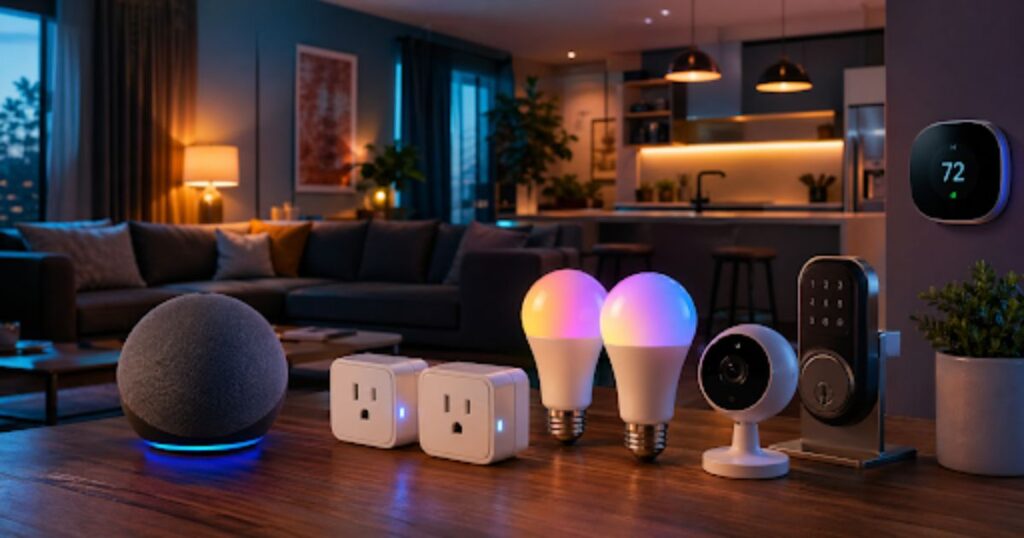
The best budget smart home setup includes a smart speaker, 2–4 smart plugs, and a few smart bulbs. This combination provides voice control, automation, and energy savings while keeping total costs under $100.
Step 1: Start With a Real Problem (Not Gadgets)
Before buying anything, get clear on why you want a smart home in the first place. Most beginners focus on devices instead of solving real, daily problems.
Ask yourself:
Common problems include forgotten lights, high energy bills, and a lack of home security.
Your answers shape your budget smart home setup.
Instead of buying randomly, pick 2–3 specific problems and build around them. That’s how you create a smart home you’ll actually use every day.
Many smart home experts recommend starting with fewer than five devices, since smaller setups are easier to maintain and are more likely to be used consistently.
Step 2: Fix Your Wi-Fi First (Non-Negotiable)
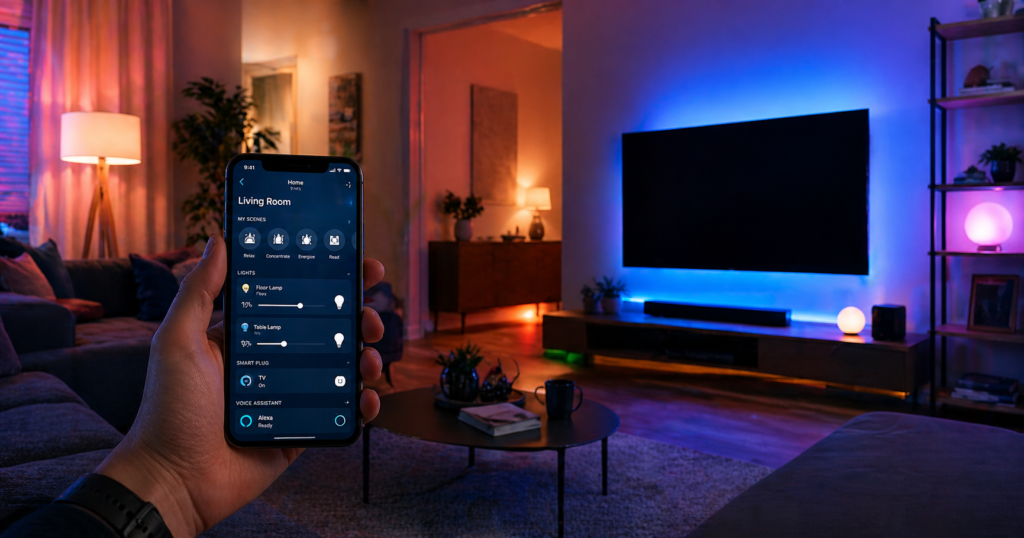
A strong connection is essential for any smart home for beginners. Every smart device depends on a stable internet connection. If your Wi-Fi is weak, your smart home will feel broken, with devices disconnecting, commands lagging, and automations failing.
Do a quick test:
- Stand where you plan to install devices
- Run a speed test on your phone
If speeds drop below 10 Mbps or signal strength is low, fix that first.
A simple solution is a mesh Wi-Fi extender ($30–$50). It’s not exciting, but it’s critical. According to a 2024 Consumer Reports study, connectivity issues are the #1 reason users abandon smart home devices.
Network specialists often point out that even high-end smart devices fail on weak networks, which is why optimizing Wi-Fi should always come before buying new gadgets.
Step 3: Choose One Ecosystem (Avoid Compatibility Headaches)
Your smart home needs a central system to connect everything. The three main options are:
| Device Preference | Best Ecosystem |
| Android users | Google Home |
| Apple users | Apple HomeKit |
| Budget + flexibility | Amazon Alexa |
For most beginners, Amazon Alexa is the easiest and most affordable choice. Devices are widely compatible, and entry-level hardware like the Echo Pop costs around $40.
Also, prioritize Matter-certified devices. Matter is a universal standard backed by Apple, Google, and Amazon, allowing devices to work across platforms. This prevents you from being locked into one system long-term.
Step 4: Build Your Starter Budget Smart Home Setup
You don’t need dozens of devices. Start small with three essentials that deliver immediate value.
1. Smart Speaker (Your Control Hub)
This is your command center. Devices like the Amazon Echo Pop or Echo Dot let you control everything using voice or app automation. It acts as the control center for all your devices.
2. Smart Plugs (Best Value Upgrade)
Smart plugs are the cheapest way to create a cheap smart home setup.
Smart plugs are one of the easiest ways to automate everyday devices. You can use smart plugs with:
- Lamps
- Coffee makers
- Fans
- Space heaters
A solid option is the TP-Link Kasa Smart Plug, often priced at $7–$10 per unit.
Example automation:
Your coffee starts brewing automatically at 7:00 AM with no effort required.
3. Smart Bulbs (Simple, Immediate Impact)
Replace a few bulbs in key rooms. Budget brands like Wyze or Kasa work well and cost a fraction of premium brands.
Stick with Wi-Fi bulbs as a beginner, no extra hub required.
Estimated cost for this stage: $80–$100
Step 5: Add Affordable Smart Security
Once your basics are running smoothly, security is the next smart upgrade.
Video Doorbells or Cameras
Devices like the Wyze Video Doorbell Pro offer:
- Live video
- Motion alerts
- Two-way communication
Unlike many competitors, Wyze provides solid features without mandatory subscriptions.
If installation isn’t possible, a Wyze Cam (~$35) near your entrance works well.
Smart Locks
A budget-friendly option like the Wyze Lock Bolt (~$80) adds:
- Keyless entry
- Remote access
- Temporary passcodes
According to SafeHome.org, homes with visible smart security devices are up to 300% less likely to be targeted by burglars. Even a basic setup adds real protection.
Step 6: Install a Smart Thermostat (Real Cost Savings)
If there’s one device that actually pays for itself, it’s a smart thermostat. According to Energy Star, smart thermostats can significantly reduce annual energy usage when used consistently.
The Amazon Smart Thermostat (~$60) is a strong budget option. For verified energy efficiency ratings before you buy, the Energy Star smart thermostat directory lists all certified budget-friendly models available in the US.
According to the U.S. Department of Energy, smart thermostats can reduce heating and cooling costs by 10% to 23% annually. See the full breakdown on the DOE’s energy-saving thermostat guide.
Simple setup strategy:
- Lower the temperature while you’re away
- Restore it before you return
That’s it. No complex programming required.
Before buying, check for a C-wire in your existing thermostat. Many modern devices include adapters if it’s missing.
Energy experts consistently rank smart thermostats among the top devices for long-term savings due to their ability to automate heating and cooling efficiently.
Budget Breakdown (Realistic Expectations)
| Stage | Devices Included | Estimated Cost |
| Starter | Speaker + plugs + bulbs | $80–$100 |
| Comfort | + Smart thermostat | $140–$160 |
| Security | + Camera + smart lock | $220–$300 |
You don’t need everything at once. Build gradually based on your needs.
What to Avoid (Common Beginner Mistakes)
1. Buying Too Many Devices at Once
It’s tempting, but it leads to overwhelm. Many users abandon setups halfway through.
2. Jumping Into Advanced Systems
Protocols like Zigbee and Z-Wave are powerful but unnecessary for beginners. Stick with Wi-Fi devices early on.
3. Subscription-Based Devices
Some brands lock essential features behind monthly fees. Look for devices that offer strong free functionality.
4. Ignoring Compatibility
Always check if a device works with your ecosystem (Alexa, Google, or Apple).
Conclusion
Setting up a smart home on a budget is no longer complicated or expensive. With the right approach, you can build a reliable system using affordable smart home devices that solve real problems instead of adding unnecessary complexity.
The key is to start small. Focus on a budget smart home setup that includes a smart speaker, a few smart plugs, and lighting automation. From there, expand into security and energy-saving devices like cameras and smart thermostats when it makes sense.\
These are some of the most affordable smart home devices that deliver real value without increasing your budget.
For beginners, the biggest advantage is simplicity. You don’t need advanced hubs or expensive systems to get started. A few well-chosen devices can automate your routine, reduce energy costs, and improve home security without stretching your budget.
If you follow the step-by-step approach in this guide, you won’t just build a smart home. You’ll build one that actually works, scales over time, and delivers real everyday value.
FAQs
1. What is the cheapest way to set up a smart home?
A basic setup with an Echo Pop, two smart plugs, and two smart bulbs can cost under $75 and still deliver real functionality.
2. Do I need a hub for a smart home?
No. Most affordable smart home devices connect directly to Wi-Fi. Hubs are only needed for advanced setups.
3. Are budget smart home devices reliable?
Yes, brands like TP-Link Kasa and Wyze offer reliable performance at low cost, especially for beginners.
4. Can I expand my smart home later?
Absolutely. Starting small actually makes expansion easier and more cost-effective.
5. Is a smart home safe from hacking?
With strong passwords, firmware updates, and two-factor authentication, smart homes are generally safe. For extra security, use a separate IoT network if available.

I started Domelite Home because I got tired of home improvement advice that was either too vague or written by people who had never actually picked up a drill. I’m Naik Zali Shah I’ve spent years obsessing over renovation projects, smart home setups, and interior design, and I built this site to share what actually works. No fluff, no filler. Just honest advice for homeowners who want to get things right the first time.
1 thought on “How to Set Up a Smart Home on a Budget: 6 Steps Under $150”