
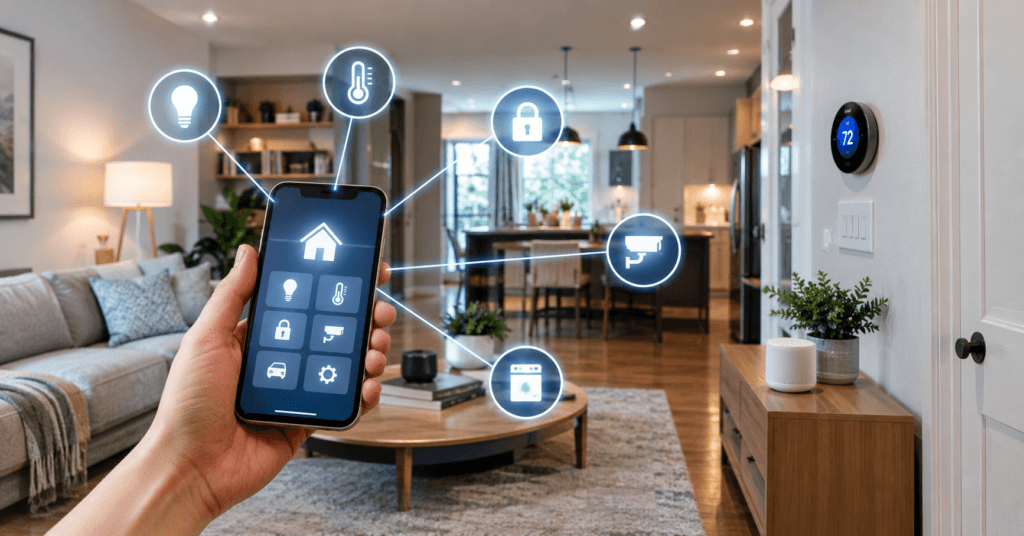
Quick Answer: Smart home automation uses connected devices, sensors, schedules, and programmed rules to perform household tasks automatically. Instead of controlling each device manually, you can set triggers that cause an action, for example, turning on a hallway light when motion is detected after dark or adjusting a thermostat when everyone leaves home. Smart home automation can include lighting, climate control, security, smart plugs, appliances, and daily routines. The goal is not to automate everything, but to make repetitive tasks easier, more convenient, and more efficient.
A smart home becomes truly useful when it can do things for you without waiting for you to tap a button.
The lights can turn on when someone enters a room. The thermostat can adjust when the house is empty. A bedtime routine can lock doors, switch off selected lights, and change the temperature with one command or automatically at a set time.
That is the basic idea behind smart home automation.
Unlike simply controlling smart devices from your phone, automation connects devices, sensors, schedules, and actions so your home can respond to what is happening around you.
This guide explains how smart home automation works, what you can automate, where it provides the most practical value, and what to consider before building a system.
What Is Smart Home Automation?
Smart home automation is the use of connected devices, sensors, software, and programmed rules to make household tasks happen automatically.
A simple smart device might let you control a light from your phone. Automation goes one step further.
Instead of opening an app and turning the light on manually, you could create a rule such as:
If motion is detected after sunset, turn on the hallway light.
That rule has three basic parts:
- Trigger: Something happens.
- Condition: A specific situation must be true.
- Action: The system responds.
For example, a motion sensor can detect movement, the system can check whether it is nighttime, and a smart light can turn on.
This trigger-and-response approach is what separates automation from simple remote control.
Smart Home Automation vs. Remote Control
The two concepts are related but not identical.
Remote control means you tell a device what to do. For example, you open an app and turn off the living-room lights while sitting upstairs.
Automation means the system follows a rule that you created.
For example:
If everyone leaves home, turn off the downstairs lights.
You do not need to open the app every time.
This distinction matters because adding more smart devices does not automatically create a smart home. The real benefit comes from making those devices work together in useful ways.
How Does Smart Home Automation Work?
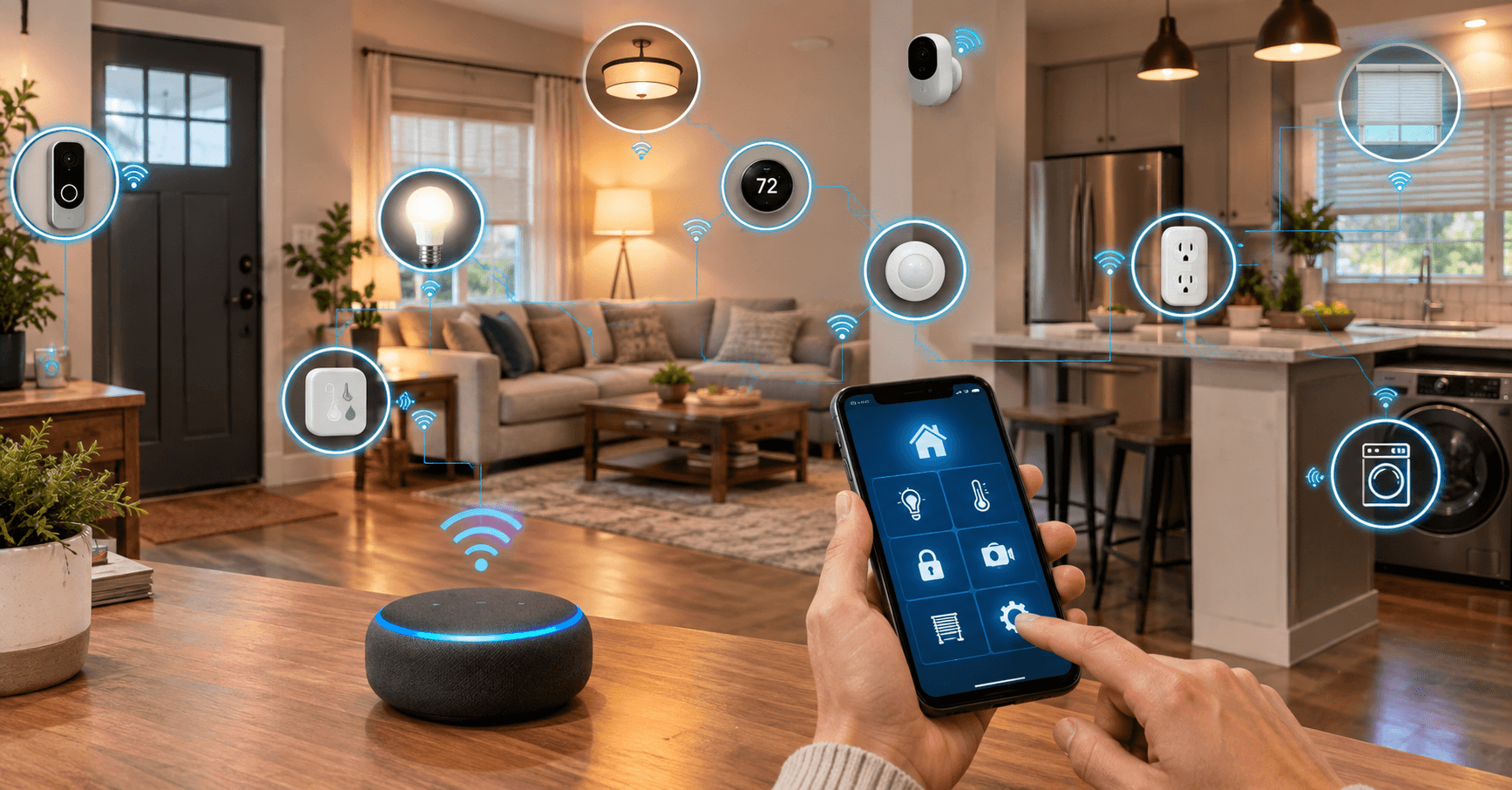
Most home automation systems combine several components.
1. Smart Devices
These are the devices that act.
Examples include:
- Smart bulbs
- Smart switches
- Smart plugs
- Smart thermostats
- Smart locks
- Motorized shades
- Smart appliances
- Sensors
- Doorbells and cameras
A device does not necessarily need to be complicated. A smart plug connected to a lamp can be enough to create a useful automation.
2. Sensors
Sensors provide information about what is happening.
Depending on the device, a sensor may detect:
- Motion
- Occupancy
- Door or window activity
- Temperature
- Humidity
- Light levels
- Water leaks
- Air quality
Sensors are particularly important because they allow automation to react to conditions rather than simply following a clock.
For example, a motion sensor can help a hallway light respond to someone walking through the area.
3. Automation Rules
The automation system connects the trigger to the action.
A rule might say:
If the front door opens after sunset, turn on the entry light for five minutes.
Another might say:
If the home is empty, adjust the thermostat to the away setting.
The more carefully these rules are designed, the more useful the system becomes.
4. A Smart Home Platform
A platform or compatible controller helps organize devices and automations.
The exact setup depends on the products you choose. Some devices communicate through Wi-Fi, while others may use technologies such as Thread, Bluetooth, or other protocols.
Compatibility matters because buying devices from different brands does not automatically mean they will work together.
What Is Matter in Smart Home Automation?
Matter is an industry standard designed to improve interoperability between compatible smart-home products.
It works across supported platforms and uses IP-based networking technologies such as Wi-Fi, Ethernet, and Thread. The goal is to make compatible devices easier to use across different smart-home ecosystems.
For homeowners, this can reduce some of the uncertainty involved in choosing devices from different manufacturers.
However, Matter does not mean every smart device will work with every platform or every feature. Always check the specific device and platform compatibility before purchasing.
The Connectivity Standards Alliance continues to update the Matter standard, including improvements to device capabilities and the overall smart-home experience.
What Can You Automate in a Smart Home?
You do not need to automate everything.
The best automations usually handle repetitive tasks that you would otherwise perform several times a day.
Smart Lighting Automation
Lighting is one of the easiest places to start.
You could create rules such as:
- Turn porch lights on around sunset.
- Turn hallway lights on when motion is detected at night.
- Dim bedroom lights before bedtime.
- Turn selected lights off when everyone leaves.
- Turn outdoor lights off at sunrise.
The key is to automate situations where manual control becomes repetitive.
Thermostat Automation
Heating and cooling can also benefit from automation.
A programmable or smart thermostat can adjust temperatures according to schedules, occupancy, or other supported conditions. The U.S. Department of Energy notes that smart thermostats can adjust based on occupancy or activity, while programmable thermostats can automatically change settings according to a schedule. See the U.S. Department of Energy’s smart thermostat guidance.
For example, you could have different settings for:
- Morning
- Work or school hours
- Evening
- Sleeping
- Away periods
The objective is not to make the thermostat constantly change. It is to reduce unnecessary heating or cooling while maintaining reasonable comfort.
Door and Window Automation
Door and window sensors can become useful triggers.
For example:
If a window is open while the HVAC system is running, send an alert.
Or:
If the front door opens after everyone is marked away, send a notification.
These rules can combine information from more than one device to create a more useful response.
Smart Plug Automation
Smart plugs are simple but versatile.
You can use them to automate compatible lamps and other suitable devices.
Examples include:
- Turning a lamp on in the evening
- Switching a device off at a scheduled time
- Controlling seasonal lighting
- Creating a morning coffee routine where supported
- Cutting power to selected devices when you leave
Always check the manufacturer’s instructions and electrical ratings before connecting an appliance to a smart plug.
Create Useful Home Routines
One of the easiest ways to understand automation is through routines.
Instead of creating dozens of unrelated rules, group several actions around something you already do.
Morning Routine
A morning routine could:
- Turn on selected lights
- Adjust the thermostat
- Open compatible shades
- Provide a weather update through a voice assistant
- Start another compatible device
Leaving Home Routine
An away routine could:
- Turn off selected lights
- Adjust the thermostat
- Lock compatible doors
- Switch off selected smart plugs
- Send a notification if a door or window remains open
Bedtime Routine
A bedtime routine might:
- Turn off downstairs lights
- Dim bedroom lighting
- Lock compatible doors
- Adjust the thermostat
- Activate selected security settings
The important point is that these routines should reflect your actual habits.
Automation is useful when it removes repetitive work, not when it creates a complicated system that requires constant troubleshooting.
Smart Home Automation for Energy Management
Automation can also help homeowners manage energy use.
For example, lighting can be scheduled or turned off when it is not needed, while thermostats can adjust temperatures during periods when the home is empty.
The Department of Energy specifically identifies programmable thermostats as a way to automatically adjust heating and cooling according to time of day and occupancy patterns.
However, smart technology does not automatically guarantee lower bills.
The results depend on the equipment, household behavior, climate, settings, and how the automation is configured.
A poorly designed automation can even be annoying or counterproductive. The goal should be appropriate control, not constant device activity.
How to Start Smart Home Automation Without Overcomplicating It
You do not need a house full of connected products to begin.
Start with one repetitive problem.
For example:
“I keep forgetting to turn off the downstairs lights.”
That could become your first automation.
Then add another only when you have a clear reason.
If you are specifically looking for a low-cost starting point, your guide to smart home projects for beginners can work as a companion resource.
You can also explore DIY smart home projects for beginners for simple projects that do not require turning the entire house into a connected system.
How AI Fits Into Smart Home Automation
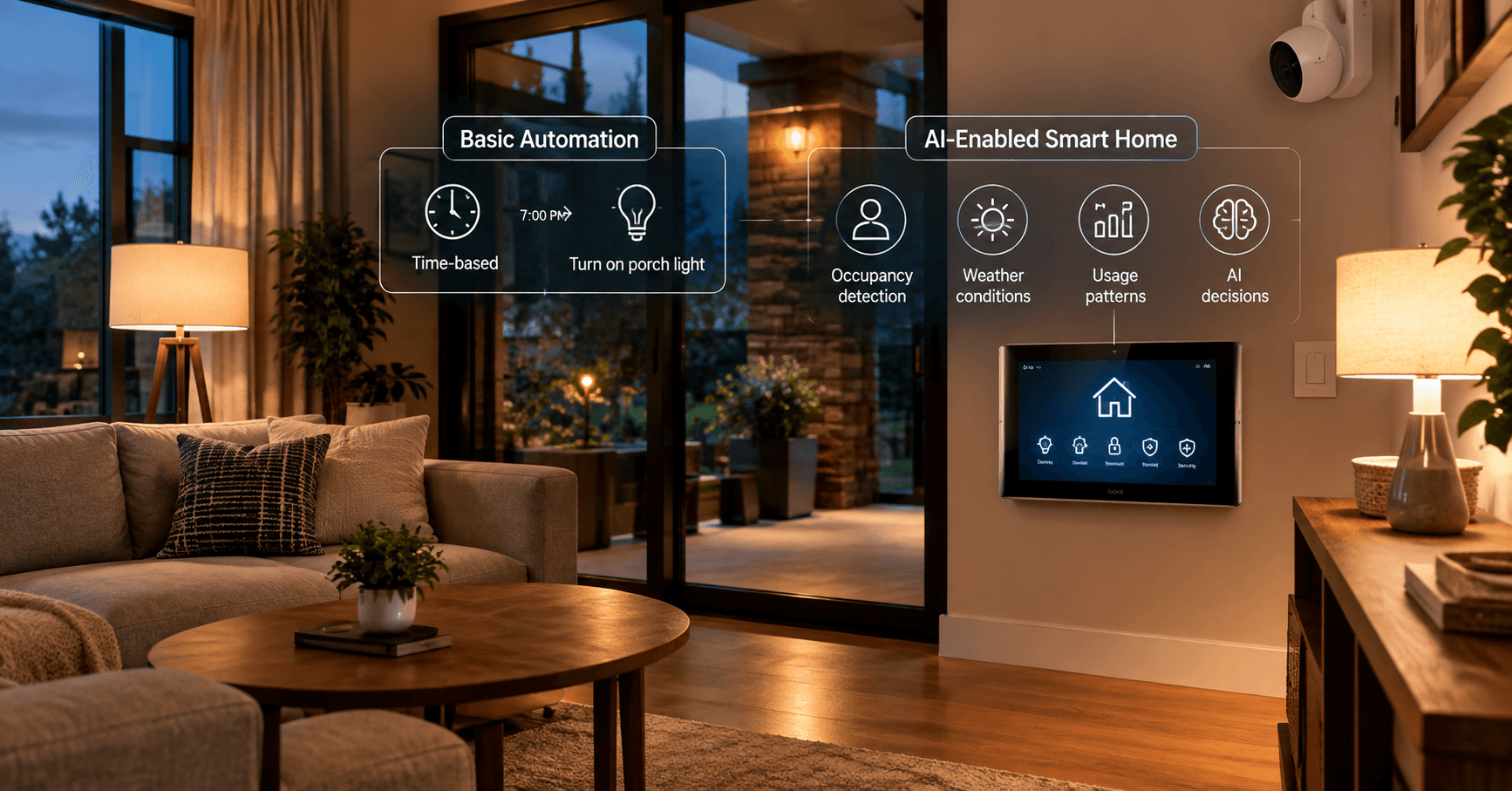
AI and automation overlap, but they are not the same thing.
A basic automation might follow a fixed rule:
At 7:00 PM → turn on the porch light.
A more advanced system may use information about occupancy, patterns, environmental conditions, or other data to make more adaptive decisions.
That is where AI-enabled smart-home technology can become relevant.
For readers interested specifically in AI-powered devices and newer smart-home capabilities, see AI smart home devices in 2026.
The important distinction is that you can have useful smart home automation without AI.
A simple motion sensor and smart bulb can solve a real household problem without machine learning.
Smart Home Automation and Security
Security can be part of a larger automation system, but it should not be the only reason to automate.
For example, an automation could notify you when a door opens unexpectedly or turn on outdoor lighting when motion is detected.
However, connected security devices introduce additional privacy and cybersecurity considerations.
The FTC recommends securing the home router, changing default credentials, using encryption, keeping devices updated, and disabling features you do not need. See the FTC’s guidance for securing internet-connected devices.
It is also worth checking how long a manufacturer intends to provide software updates before buying a connected product. The FTC notes that updates can be important to keeping smart products working properly and addressing security problems.
For apartment-specific security considerations, see your guide to smart home security systems for apartments in the USA.
Common Smart Home Automation Mistakes
A smart home can become frustrating when automation is added without a clear purpose.
Too Many Automations
If every device has several rules, you may eventually forget why some of them exist.
Start small and add rules gradually.
Conflicting Rules
Two automations can sometimes produce unwanted results.
For example, one rule could turn a light on when motion is detected while another turns it off five minutes later.
Before adding a new rule, consider whether it could interfere with an existing one.
Ignoring Manual Control
Automation should not make basic manual control impossible.
A useful system should still allow you to operate important devices when an automation fails or when you simply want to override it.
Choosing Devices Without Checking Compatibility
Do not assume that two products will work together simply because both are labeled “smart.”
Check platform, protocol, Matter support where relevant, and the specific automation features before buying.
Forgetting About Updates
Connected products depend on software as well as hardware.
The FTC recommends keeping internet-connected devices updated and checking manufacturer support information before purchasing.
How to Make Smart Home Automation Reliable
Good automation should be predictable.
Before creating a rule, ask:
- What problem does this solve?
- What should trigger it?
- What conditions should apply?
- What action should happen?
- What happens if the trigger fails?
- Can I easily override the automation?
- Will it still make sense six months from now?
This simple checklist can prevent many unnecessary automations.
For important devices such as locks, heating equipment, or security systems, reliability deserves particular attention. A convenient automation is not useful if it regularly fails or produces unexpected results.
Is Smart Home Automation Worth It?
Smart home automation can be worthwhile when it solves specific problems in your daily routine.
The biggest benefit is not having the largest number of smart devices. It is reducing repetitive tasks and making your home respond more naturally to your routines.
A single motion-activated hallway light may be more useful than ten connected devices that you rarely use.
The best system is usually the one that is:
- Easy to understand
- Compatible with your devices
- Reliable
- Secure
- Simple to override
- Built around real household needs
Start with one problem, automate it, use the system for a while, and then decide what deserves the next automation.
Final Thoughts
Smart home automation is less about filling a house with gadgets and more about making everyday technology work together.
The basic formula is simple:
Trigger → Condition → Action.
Once you understand that formula, possibilities become much easier to identify. A sensor can trigger a light. A schedule can change a thermostat. An away routine can handle several repetitive tasks at once.
You do not need AI, expensive equipment, or a completely automated house to get started.
Begin with one useful task, choose compatible devices, keep security and software support in mind, and build gradually.
That approach can turn a collection of smart products into a home automation system that actually makes everyday life easier.
FAQs About Smart Home Automation
What is an example of smart home automation?
A common example is a motion sensor turning on a hallway light when movement is detected after dark. The homeowner does not need to operate the light manually.
What is the difference between a smart home and a home automation system?
A smart home may contain connected devices that can be controlled remotely. A home automation system goes further by allowing devices to respond automatically to triggers, schedules, conditions, or other events.
Do you need Wi-Fi for smart home automation?
Not always. Different smart-home products can use different communication technologies. Some rely on Wi-Fi, while others may use Thread, Bluetooth, Ethernet, or other protocols. The exact requirements depend on the devices and platform.
Is smart home automation expensive?
It can be inexpensive or highly sophisticated depending on what you automate. You can begin with one smart bulb, plug, sensor, or thermostat rather than automating the entire home at once.
Can smart home automation save energy?
It can help manage energy use by automatically adjusting lighting, heating, cooling, and other compatible equipment. Actual savings vary according to the home, equipment, settings, climate, and household behavior.
Is smart home automation safe?
Connected devices require sensible security practices. Secure your router, use strong, unique credentials, enable available security features such as two-factor authentication, and keep device software updated.

Samreen Khadim Hussain is a home improvement writer and content creator at Domelite Home. She specializes in making home renovation, interior design, and bathroom safety accessible to everyday US homeowners, turning technical subjects into clear, actionable advice. Her work is rooted in research, real-world practicality, and a genuine belief that a better home is within everyone’s reach.